Show Posts

This section allows you to view all posts made by this member. Note that you can only see posts made in areas you currently have access to.


Messages - xGenesis R

Pages: [1] 2
1
Projects / Re: Rune Legacy
« on: April 13, 2011, 07:43:16 am »
Sorry for the lack of updates. I really have been updating the game, just haven't had time to post about it as I've been really busy.

Expect a release real soon. I'd also like to thank everyone for being patient and for the support.

2
Advertise / Re: Duvalscape V2!
« on: April 10, 2011, 03:01:50 am »
Very nice,
Will check it out whenever I have the time.

3
Projects / Re: Rune Legacy
« on: April 09, 2011, 11:29:12 am »
Full Screen.


4
Projects / Re: Rune Legacy
« on: April 08, 2011, 08:36:05 pm »
That Object ID sendframe can only be seen to Owner +, Character rights 3 lol. Regular players/Mods/Admins can't see that.

5
Introduction / Re: Hey Rune Kingdom
« on: April 07, 2011, 05:36:50 am »
Thanks for the warm welcoming.

6
Projects / Re: Rune Legacy
« on: April 07, 2011, 05:25:35 am »
New Youtube video.

Sorry about the lag I always lag when recording with Camtasia. + the static is from me blasting my speakers.

http://www.youtube.com/watch?v=STlZZVaCIHA

@Chandlermaki, PI.


Will upload new pics soon. We're not using the same Client anymore. + We now support Full Screen.

7
Projects / Re: Rune Legacy
« on: April 06, 2011, 12:30:19 am »
Is this supposed to look like RS? Just simplified?

It's a Private Server lol.

To answer your question though my intentions aren't really to make a RuneScape Remake, as in similarity and simplicity you can say it is. If you look closely though it's not a Remake, as a #317 never had Lunar Island or new God Wars.

Just try it when it's released and make what you want of it, I just see a lack of unique servers lately (most being leeched) so I want to give it a go.

PS. Thank you to everyone for the positive feedback

*Edit* No, training/skilling won't be the same as in RS.

8
Projects / Re: Rune Legacy
« on: April 06, 2011, 12:19:59 am »
Updates for this week, finish adding Music to all areas, add clue scrolls, think of a skilling system and add it in game. (How people are going to get about skilling)

9
ShowCase / Re: Gift for xGenesis R
« on: April 05, 2011, 08:39:02 pm »
I love it.

10
Advertise / Re: Xydia [RSPS] [Old DarkNezZ-Scape - Xetha] !
« on: April 05, 2011, 03:58:43 am »
Looks nice.
Don't like the commands though.

What source is this btw? (E.g. PI, Hyperion, Shards, Delta, ...)

11
General Discussion / Chessy018 Hacked 170+ Bil
« on: April 05, 2011, 03:35:15 am »
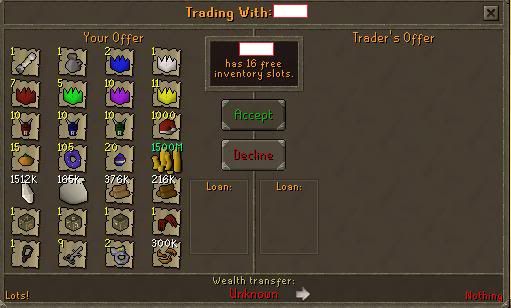
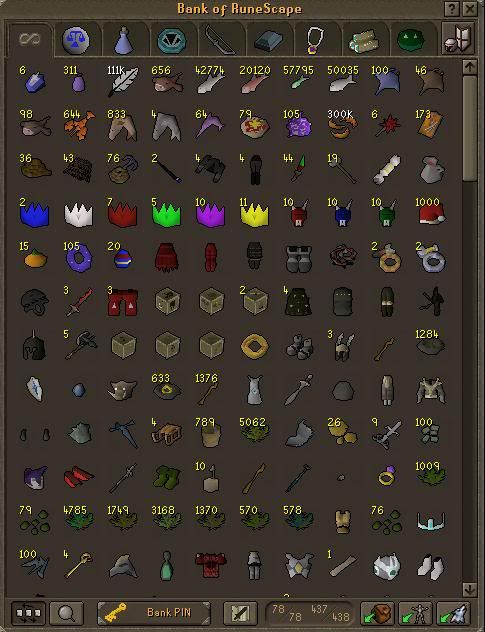
Pretty old news by now (not too old), Chessy018 the richest player on RuneScape just got hacked 170b+. Whether this affected the economy much is still unknown. Supposedly Chesseys account got locked aswell as anyone that traded with it, but what about drop trade?

http://www.youtube.com/watch?v=k2cpzXvHgWw

YouTube - Chessy018 hacked for 170billion March 17th 2011 100% real/legit
http://www.sythe.org/showthread.php?t=1069215

Quote
Quoted from Foe Forums:

"As most of you know, I recover inactive accounts and I felt like a challenge and tried to go for Chessy with the help of Chainsaw35 & Jaems. Although most of you will look down on me for this I didn't really hack, I recovered. Regardless of what you think, I'm pretty chuffed and if I get banned from Forums or whatever I understand although it's not hacking. Some pics to wet your mouths and whatever else. Oh, I'm donating to FOE drop party this Saturday, If i'm invited that is."

Apparently the guy who did it recovered it, he xferred over 170b worth of items.

Also there's like a 1000 people viewing the thread ^^.
Pics:


12
Tutorials / Re: Adding Hp Prayer and Run Orbs
« on: April 05, 2011, 03:27:35 am »
I didn't know you had any coding experience. Impressive.

I'm a pretty good Java coder now, contrary to what most people on RM's forums think. I've been Coding since October and made it a permanent hobby.

Finally got to adding music in game on an Insanity 317/377 Client and Server which a lot of people never seem to be able to do or understand. (on other developer forums that is).

13
Resources / Re: How to get Photoshop CS5 Extended!
« on: April 05, 2011, 03:22:01 am »
Might possibly use in the future.

Already have Photoshop but each time I open it for some reason it asks me for another Keygen.

14
Introduction / Re: Imworth is here!
« on: April 05, 2011, 03:15:06 am »
I joined for you  ;)

15
Tutorials / Adding Hp Prayer and Run Orbs
« on: April 05, 2011, 03:13:24 am »
Someone asked me to make a tutorial on this awhile back.

Okay so here is what we're adding.


Go into your Client.java folder (Client Sided of couse or this guide wouldn't be in this section) and look for.

Code: [Select]
private void method146()
Either above or below this method (I put mine below), add this file.

Code: [Select]
public void drawRunOrb() {
if (!runClicked) {
if (super.mouseX > 710 && super.mouseX < 742 && super.mouseY > 88 && super.mouseY < 122) {
hoverorbrun.drawSprite(165, 85);
} else {
runorb.drawSprite(165, 85);

}
} else {
if (super.mouseX > 710 && super.mouseX < 742 && super.mouseY > 88 && super.mouseY < 122) {
hoverorbrun2.drawSprite(165, 85);
} else {
runClick.drawSprite(165, 85);
}
}
}
  public void drawHPOrb() {
int health;
String cHP = RSInterface.interfaceCache[4016].message;
int currentHP = Integer.parseInt(cHP);
String mHP = RSInterface.interfaceCache[4017].message;
int maxHP2 = Integer.parseInt(mHP);
health = (int)(((double)currentHP / (double)maxHP2) * 100D);
/* Draws empty orb */
emptyOrb.drawSprite(160, 13);
hitPointsFill.drawSprite(163, 16);
/* Draws current HP text */
if(health > 100) {
smallText.method382(65280, 176, cHP, 34, true);
}
if(health <= 100 && health >= 75) {
smallText.method382(65280, 176, cHP, 34, true);
}
else if(health <= 74 && health >= 50) {
smallText.method382(0xffff00, 176, cHP, 34, true);
}
else if(health <= 49 && health >= 25) {
smallText.method382(0xfca607, 176, cHP, 34, true);
}
else if(health <= 24 && health >= 0) {
smallText.method382(0xf50d0d, 176, cHP, 34, true);
}
/* Draws inside orb sprites */
}
  public void loadOrbs(){
drawHPOrb();
drawPrayerOrb();
drawRunOrb();
}
  public void drawPrayerOrb() {
int prayer;

String cP = RSInterface.interfaceCache[4012].message;
int currentPrayer = Integer.parseInt(cP);
String mP = RSInterface.interfaceCache[4013].message;
int maxPrayer = Integer.parseInt(mP);
prayer = (int)(((double)currentPrayer / (double)maxPrayer) * 100D);
/* Draws empty orb */
emptyOrb.drawSprite(171, 49);
prayerFill.drawSprite(174, 52);
/* Draws current HP text */
if(prayer <= 100 && prayer >= 75) {
smallText.method382(65280, 187, cP, 71, true);
}
else if(prayer <= 74 && prayer >= 50) {
smallText.method382(0xffff00, 187, cP, 71, true);
}
else if(prayer <= 49 && prayer >= 25) {
smallText.method382(0xfca607, 187, cP, 71, true);
}
else if(prayer <= 24 && prayer >= 0) {
smallText.method382(0xf50d0d, 187, cP, 71, true);
}
/* Draws inside orb sprites */
}

Now dere that wasn't so hard. ;o

Okay, now for declaring things.

Look for
Code: [Select]
/* Declare custom sprites */
And under mapArea, add this

Code: [Select]
private Sprite emptyOrb;
private Sprite hoverOrb;
private Sprite hoverorbrun;
private Sprite hoverorbrun2;
private Sprite runClick;
private Sprite runorb;
private Sprite hitPointsFill;
private Sprite prayerFill;
  public boolean runClicked = false;

Under
Code: [Select]
/* Custom sprite unpacking */
Add this. :)

Code: [Select]
emptyOrb = new Sprite("emptyorb");
hoverOrb = new Sprite("hoverorb");
hoverorbrun2 = new Sprite("hoverorbrun2");
hoverorbrun = new Sprite("hoverorbrun");
runClick = new Sprite("runclick");
runorb = new Sprite("runorb");
hitPointsFill = new Sprite("hitpointsfill");
prayerFill = new Sprite("prayerfill");
Now go to
Code: [Select]
private void drawMinimap()
And ALLLLLllllllllllllllllllll the way in the bottom of that void there's something similar to this this.

Code: [Select]
if(destX != 0) {
int j2 = (destX * 4 + 2) - myPlayer.x / 32;
int l4 = (destY * 4 + 2) - myPlayer.y / 32;
markMinimap(mapFlag, j2, l4);
}
DrawingArea.drawPixels(3, 78, 97, 0xffffff, 3);
mapBack.drawBackground(0, 0);
aRSImageProducer_1165.initDrawingArea();
}

Below the

Code: [Select]
mapBack.drawBackground(0, 0);

Add
Code: [Select]
loadOrbs();
Compile save and add this to your Sprites in your cache.

UppIT - Free File Sharing - Orbs.rar

 (Don't place the whole Orb Folder there. But remove the photos and put them in the main Sprites Folder.)

Credits to xGenesis R & Phat 4 U

Here is the other orbs that I will release in the future:


If you used please thank <3

Pages: [1] 2